

If you use Google Play Movies, you have probably noticed this great animated SeekBar with a preview of the movie. It turned out that Rúben Sousa implemented that as an open-source library. The gif below gives a good flavor of its functionalities.
Popular article : Top 30 Android Tools Every Developer should Know
If your app is for instance a movie player, you should definitely try it!
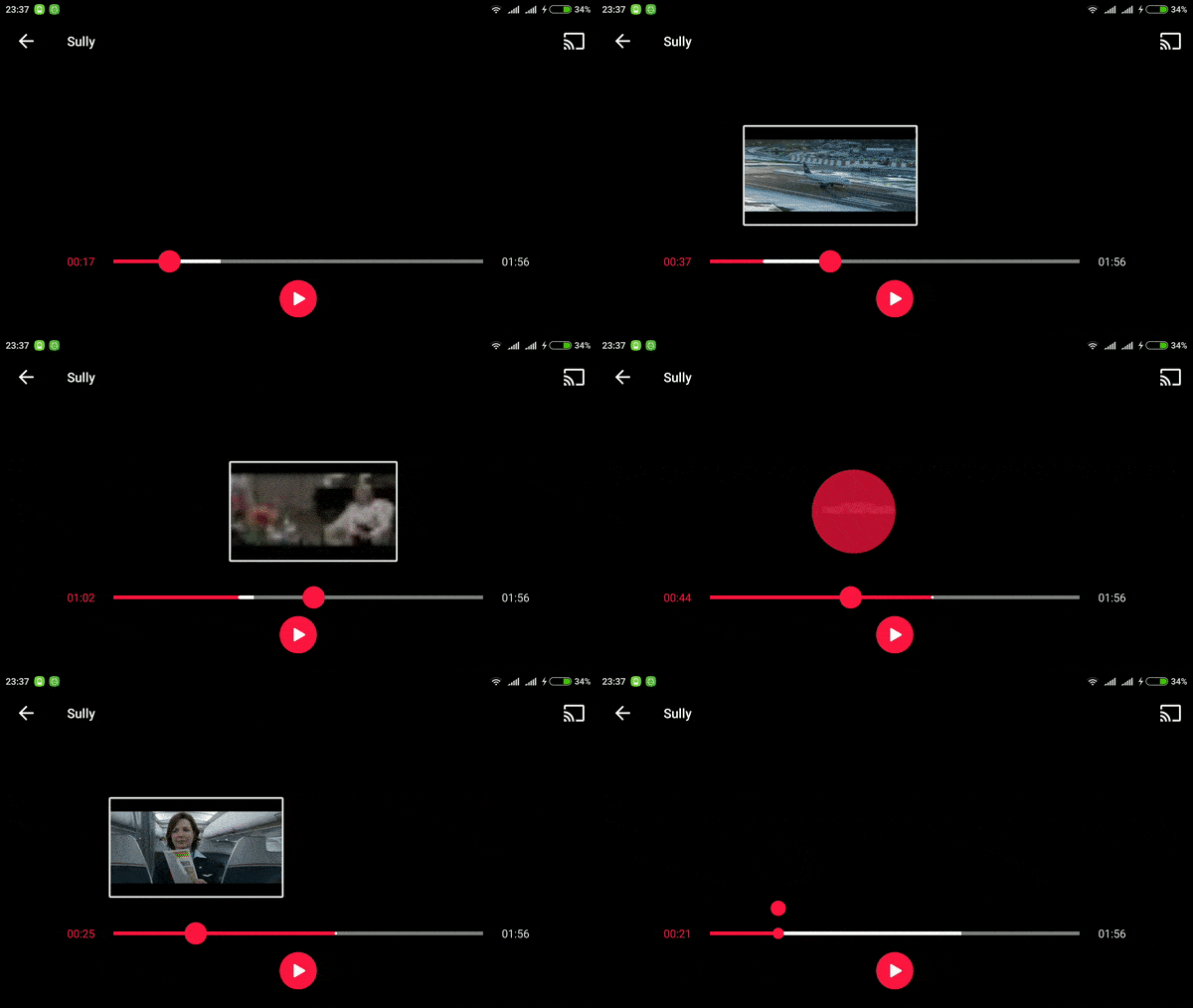
Add PreviewSeekBar in Android Video App
Lets start with gradle:
dependencies {
    compile 'com.github.rubensousa:previewseekbar:0.3'
}
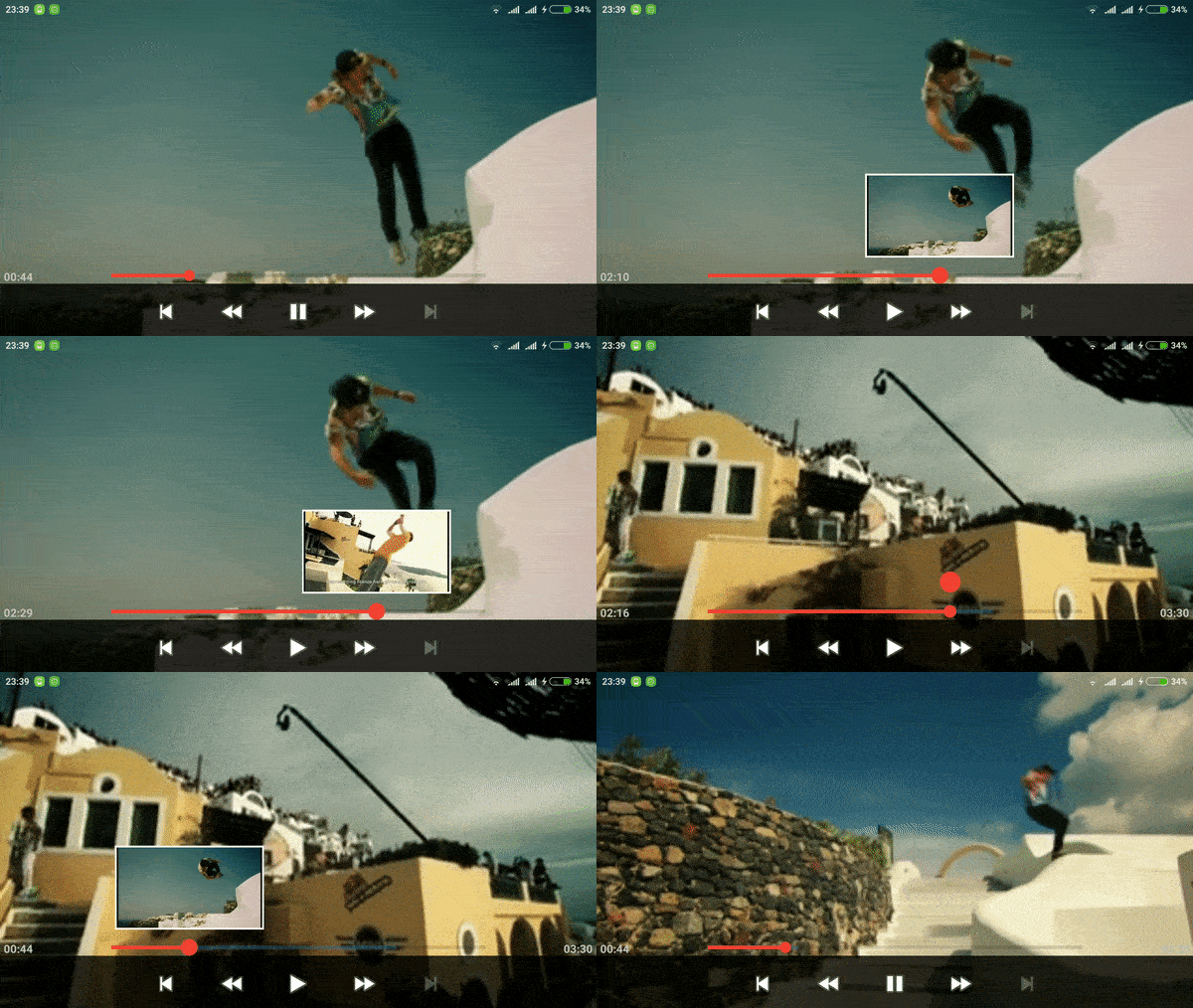
Add the following XML:
<com.github.rubensousa.previewseekbar.PreviewSeekBarLayout
      android:id="@+id/previewSeekBarLayout"
      android:layout_width="match_parent"
      android:layout_height="wrap_content"
      android:orientation="vertical">

      <FrameLayout
          android:id="@+id/previewFrameLayout"
          android:layout_width="@dimen/video_preview_width"
          android:layout_height="@dimen/video_preview_height">

          <View
              android:id="@+id/videoView"
              android:layout_width="match_parent"
              android:layout_height="match_parent"
              android:layout_gravity="start"
              android:background="@color/colorPrimary" />

      </FrameLayout>

      <com.github.rubensousa.previewseekbar.PreviewSeekBar
          android:id="@+id/previewSeekBar"
          android:layout_width="match_parent"
          android:layout_height="wrap_content"
          android:layout_below="@id/previewFrameLayout"
          android:layout_marginTop="25dp"
          android:max="800" />

</com.github.rubensousa.previewseekbar.PreviewSeekBarLayout>
Note : You need to add at least one SeekBar and a FrameLayout inside PreviewSeekBarLayout, else an exception will be thrown. PreviewSeekBarLayout extends from RelativeLayout so you can add other views or layouts there.
Drawing library : Isometric Design Android Library
Pass a standard OnSeekBarChangeListener to the PreviewSeekBar :
// setOnSeekBarChangeListener was overridden to do the same as below
seekBar.addOnSeekBarChangeListener(this);
Implement your own preview logic in:
@Override
public void onProgressChanged(SeekBar seekBar, int progress, boolean fromUser) {
    // I can't help anymore
}
How to use this with ExoPlayer
Add a custom controller to your SimpleExoPlayerView
<com.google.android.exoplayer2.ui.SimpleExoPlayerView
    android:id="@+id/player_view"
    android:layout_width="match_parent"
    android:layout_height="match_parent"
    app:controller_layout_id="@layout/exoplayer_controls"/>
The PreviewSeekBarLayout inside exoplayer_controls should be similar to this:
<com.github.rubensousa.previewseekbar.PreviewSeekBarLayout
    android:id="@+id/previewSeekBarLayout"
    android:layout_width="0dp"
    android:layout_height="wrap_content"
    android:layout_weight="1"
    android:orientation="vertical">

    <FrameLayout
        android:id="@+id/previewFrameLayout"
        android:layout_width="@dimen/video_preview_width"
        android:layout_height="@dimen/video_preview_height"
        android:background="@drawable/video_frame"
        android:padding="@dimen/video_frame_width">

        <com.google.android.exoplayer2.ui.SimpleExoPlayerView
            android:id="@+id/previewPlayerView"
            android:layout_width="match_parent"
            android:layout_height="match_parent"
            app:controller_layout_id="@layout/exo_simple_player_view"
            app:surface_type="texture_view"
            app:use_artwork="false"
            app:use_controller="false" />

    </FrameLayout>

    <com.github.rubensousa.previewseekbar.PreviewSeekBar
        android:id="@+id/exo_progress"
        style="?android:attr/progressBarStyleHorizontal"
        android:layout_width="match_parent"
        android:layout_height="wrap_content"
        android:layout_below="@id/previewFrameLayout"
        android:layout_marginTop="10dp"
        android:max="800" />

</com.github.rubensousa.previewseekbar.PreviewSeekBarLayout>
Use the following SimpleExoPlayerView for the preview:
<com.google.android.exoplayer2.ui.SimpleExoPlayerView
    android:id="@+id/previewPlayerView"
    android:layout_width="match_parent"
    android:layout_height="match_parent"
    app:controller_layout_id="@layout/exo_simple_player_view"
    app:surface_type="texture_view"
    app:use_artwork="false"
    app:use_controller="false" />
We need to specify another controller layout because the default one includes a SeekBar with the same id as ours.
Must see : Cool Cards Menu Animation Android Library
Create a player with a custom TrackSelection and LoadControl
TrackSelection.Factory videoTrackSelectionFactory = new WorstVideoTrackSelection.Factory();
TrackSelector trackSelector = new DefaultTrackSelector(videoTrackSelectionFactory);
LoadControl loadControl = new PreviewLoadControl();
SimpleExoPlayer previewPlayer = ExoPlayerFactory.newSimpleInstance(previewPlayerView.getContext(),
        trackSelector, loadControl);
previewPlayer.setPlayWhenReady(false);
Seek the player in onProgressChanged
@Override
public void onProgressChanged(SeekBar seekBar, int progress, boolean fromUser) {
    if(fromUser){
        int offset = (float) progress / seekBar.getMax()
        // Round the offset before seeking. The sample uses 1% or 10% of the video per each thumbnail
        previewPlayer.seekTo((long) (offset * previewPlayer.getDuration()));
        previewPlayer.setPlayWhenReady(false);
    }
}
Download
What’s new in next version of this library
A few improvements would be:
- Adding a stream with lower bitrate to load and display the images faster.
- Using some kind of special stream just for the thumbnails. Maybe this is how the Google Play team did it, I don’t know. They load the thumbnails a lot faster than this sample.
- Caching thumbnails in disk for offline use.
Hope you like this tutorial. Please comment us or share on social site given below.
 Nuur Hasan
Share your thoughts